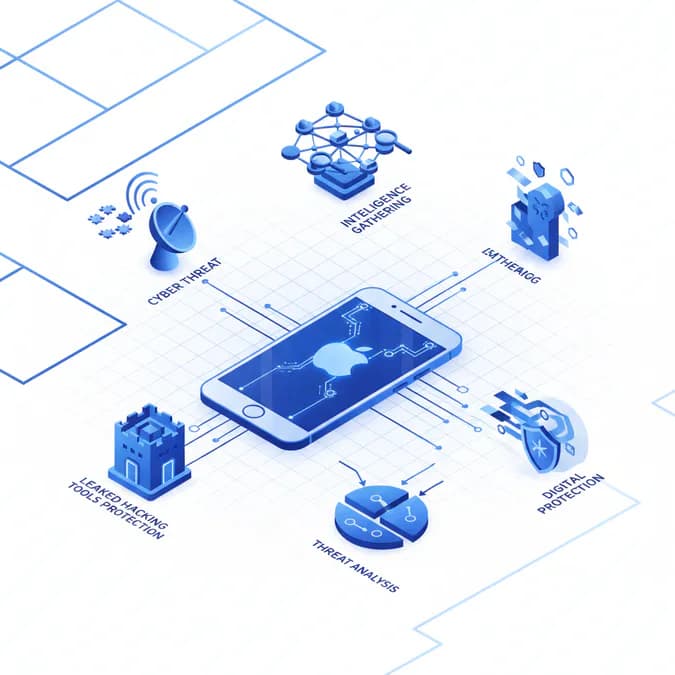
The cybersecurity landscape is constantly evolving, with new threats emerging daily. While tech giants like Apple invest heavily in bolstering their iOS security, vulnerabilities can still surface, leaving users exposed. Recently, the leak of sophisticated hacking tools has raised serious concerns about the security of millions of older iPhones. These tools, designed to exploit weaknesses in older iOS versions, could enable malicious actors to deploy spyware and gain unauthorized access to sensitive user data. Industry experts note that the proliferation of such tools represents one of the most significant mobile security challenges in recent years.
This comprehensive guide delves into the specifics of the leaked hacking tools, the potential impact on iPhone users, and the essential steps individuals and organizations can take to mitigate the risks. We'll also explore Apple's response to the situation, proven defense mechanisms, and the broader implications for mobile security in 2024 and beyond.
Table of Contents

- The Threat: Leaked Hacking Tools and iOS Security
- Understanding the Scope of the Problem
- The Impact on iPhone Users
- Expert Analysis and 5 Essential iOS Security Recommendations
- Apple's Response and the Future of iOS Security
- Frequently Asked Questions About iOS Security
- Key Takeaways
The Threat: Leaked Hacking Tools and iOS Security
The leaked hacking tools represent a significant threat because they provide attackers with a ready-made arsenal to exploit known vulnerabilities in older iOS versions. These tools often include exploits that bypass security measures, allowing attackers to install spyware, steal data, and even remotely control devices. The danger is amplified by the fact that many users fail to update their d

Understanding the Scope of the Problem
The exact number of iPhones affected by the leaked hacking tools is difficult to determine, but cybersecurity experts estimate that millions of devices running older iOS versions are potentially at risk. These devices are particularly vulnerable because Apple may no longer be actively patching security flaws in these older versions. This means that even if Apple releases a fix for the vulnerabilities exploited by the leaked tools, users with older devices may not receive the update, leaving them permanently exposed. Industry analysis suggests that approximately 15-20% of active iPhones worldwide may be running unsupported iOS versions, creating a significant security gap.
The Impact on iPhone Users
The consequences of a successful attack using these leaked hacking tools can be severe and far-reaching. Attackers could compromise your device in multiple ways, each with serious implications for your privacy and security:
- Install Spyware: Secretly install spyware to monitor user activity, track location in real-time, and steal personal data including browsing history and app usage patterns.
- Steal Data: Gain unauthorized access to sensitive data such as contacts, messages, photos, financial information, and authentication credentials stored on your device.
- Remotely Control Devices: Remotely control devices to send messages impersonating you, make calls, or even use the camera and microphone without your knowledge or consent.
- Launch Phishing Attacks: Use compromised devices to launch phishing attacks against your contacts and other users, spreading malware through your trusted network.
- Financial Fraud: Access banking apps and financial accounts to conduct unauthorized transactions or steal payment information.
Expert Analysis and 5 Essential iOS Security Recommendations
Cybersecurity experts are urging iPhone users to take immediate action to protect themselves from the potential threat posed by the leaked hacking tools. The following five essential iOS security steps form the foundation of a robust defense strategy against modern mobile threats:
1. Update to the Latest iOS Version
The most effective way to protect your iPhone from these types of attacks is to update to the latest iOS version. Apple regularly releases security updates that patch known vulnerabilities, making it significantly more difficult for attackers to exploit your device. These updates address zero-day vulnerabilities, close security loopholes, and implement enhanced protection mechanisms. To update your iPhone, navigate to Settings > General > Software Update and install any available updates immediately. Experts recommend enabling automatic updates to ensure you receive critical security patches without delay.
2. Be Wary of Suspicious Links and Attachments
Avoid clicking on suspicious links or opening attachments from unknown sources. These could contain malware that could compromise your device and expose your personal information. Be particularly cautious with links received via email, text messages, or social media, even if they appear to come from trusted contacts. Attackers often use social engineering tactics to trick users into clicking malicious links. Verify the sender's identity before clicking any links, and hover over URLs to see their actual destination before opening them.
3. Use a Strong Password and Enable Two-Factor Authentication
Use a strong, unique password for your Apple ID that combines uppercase and lowercase letters, numbers, and special characters. Avoid using easily guessable information such as birthdays or common words. More importantly, enable two-factor authentication (2FA) to add an extra layer of security to your account. Two-factor authentication requires a second verification method beyond your password, making it exponentially harder for attackers to gain unauthorized access even if they obtain your password. This proven security measure significantly reduces the risk of account compromise.
4. Install a Reputable Mobile Security App
Consider installing a reputable mobile security app from the App Store that can detect and remove malware from your device. These applications provide real-time threat detection, scan downloaded files, and monitor system activity for suspicious behavior. Choose security apps from established vendors with strong track records and positive user reviews. Mobile security solutions can provide an additional layer of protection beyond iOS's built-in security features, particularly against emerging threats and zero-day exploits.
5. Regularly Back Up Your Data
Regularly back up your data to iCloud or a computer so that you can restore your device if it is compromised. Backups serve as a safety net, allowing you to recover your information even if your device is infected with malware or physically stolen. Enable automatic iCloud backups by going to Settings > [Your Name] > iCloud > iCloud Backup and toggling on "iCloud Backup." Additionally, perform periodic manual backups to ensure you have recent copies of your most important data stored securely.
Apple's Response and the Future of iOS Security
Apple has acknowledged the threat posed by the leaked hacking tools and is working to mitigate the risks. The company has released security updates to address some of the vulnerabilities exploited by the tools, and is urging users to update their devices to the latest iOS version. However, the incident highlights the ongoing challenge of maintaining security in a constantly evolving threat landscape. Apple continues to invest billions in security research and development, implementing advanced features such as App Tracking Transparency, on-device processing for sensitive data, and enhanced encryption protocols.
The Importance of Proactive Security Measures
The leak of these hacking tools underscores the importance of proactive security measures at both the corporate and individual levels. Apple and other tech companies must continue to invest in research and development to identify and address vulnerabilities before they can be exploited by attackers. Users must also take responsibility for their own security by keeping their devices updated, being wary of suspicious links and attachments, using strong passwords, and staying informed about emerging threats. A collaborative approach between technology providers and users creates the strongest defense against cyber attacks.
Emerging iOS Security Technologies
Apple is continuously developing new security technologies to stay ahead of threats. Recent innovations include improved malware detection algorithms, enhanced biometric authentication, and more sophisticated encryption standards. The company's commitment to privacy-by-design ensures that security features are built into iOS from the ground up rather than added as afterthoughts. These proactive measures help protect users from both known and emerging threats.
Frequently Asked Questions About iOS Security
What should I do if I think my iPhone has been compromised?
If you suspect your iPhone has been compromised, immediately change your Apple ID password from another device, enable two-factor authentication if you haven't already, and review your account activity for unauthorized access. Consider performing a factory reset of your device and restoring from a backup created before the suspected compromise. Contact Apple Support for additional guidance and potential device diagnostics.
Are older iPhones more vulnerable to these hacking tools?
Yes, older iPhones running outdated iOS versions are significantly more vulnerable because Apple no longer provides security updates for very old devices. If your iPhone cannot be updated to the latest iOS version, consider upgrading to a newer model that receives current security patches. Continuing to use unsupported devices exposes you to known vulnerabilities that attackers actively exploit.
How often does Apple release iOS security updates?
Apple releases major iOS updates annually, typically in September, along with numerous security updates throughout the year. Critical security patches can be released at any time when vulnerabilities are discovered. It's important to install updates as soon as they become available rather than delaying them.
Can I get iOS security without using two-factor authentication?
While basic security is possible without two-factor authentication, enabling it significantly enhances your account protection. Two-factor authentication is considered essential by security experts and should be enabled on all accounts containing sensitive information, particularly your Apple ID.
Do I need a paid security app for iOS security?
iOS includes robust built-in security features that provide substantial protection. While paid security apps can offer additional features, many free options from reputable vendors are also effective. The most important step is keeping your iOS updated and following basic security practices.
Key Takeaways
- Leaked hacking tools pose a significant threat to millions of older iPhones running unsupported iOS versions.
- Attackers can use these tools to install spyware, steal data, remotely control devices, and launch phishing attacks.
- Updating to the latest iOS version is the most effective way to protect your iPhone from known vulnerabilities.
- The five essential iOS security steps include updating your OS, avoiding suspicious links, using strong passwords with 2FA, installing security apps, and regularly backing up data.
- Users should remain vigilant about emerging threats and stay informed about security best practices.
- A combination of Apple's security measures and user responsibility creates the strongest defense against cyber attacks.
The Bottom Line
The leak of these hacking tools serves as a stark reminder of the importance of cybersecurity in our increasingly connected world. While Apple is working to address the threat through regular security updates and enhanced protection mechanisms, users must also take proactive steps to protect themselves. By implementing the five essential iOS security recommendations—updating to the latest iOS version, being wary of suspicious links and attachments, using strong passwords with two-factor authentication, installing reputable security apps, and regularly backing up your data—you can significantly reduce your risk of becoming a victim of these attacks. The responsibility for security is shared between technology providers and users, and taking these steps demonstrates a commitment to protecting your personal information and digital privacy. Stay informed, stay vigilant, and prioritize iOS security as an essential part of your digital life.